Feature · Pull requests
Every acceptance criterion, met or not
Each item under Acceptance criteria or Test plan, marked met, not met or not checked.
The short answer
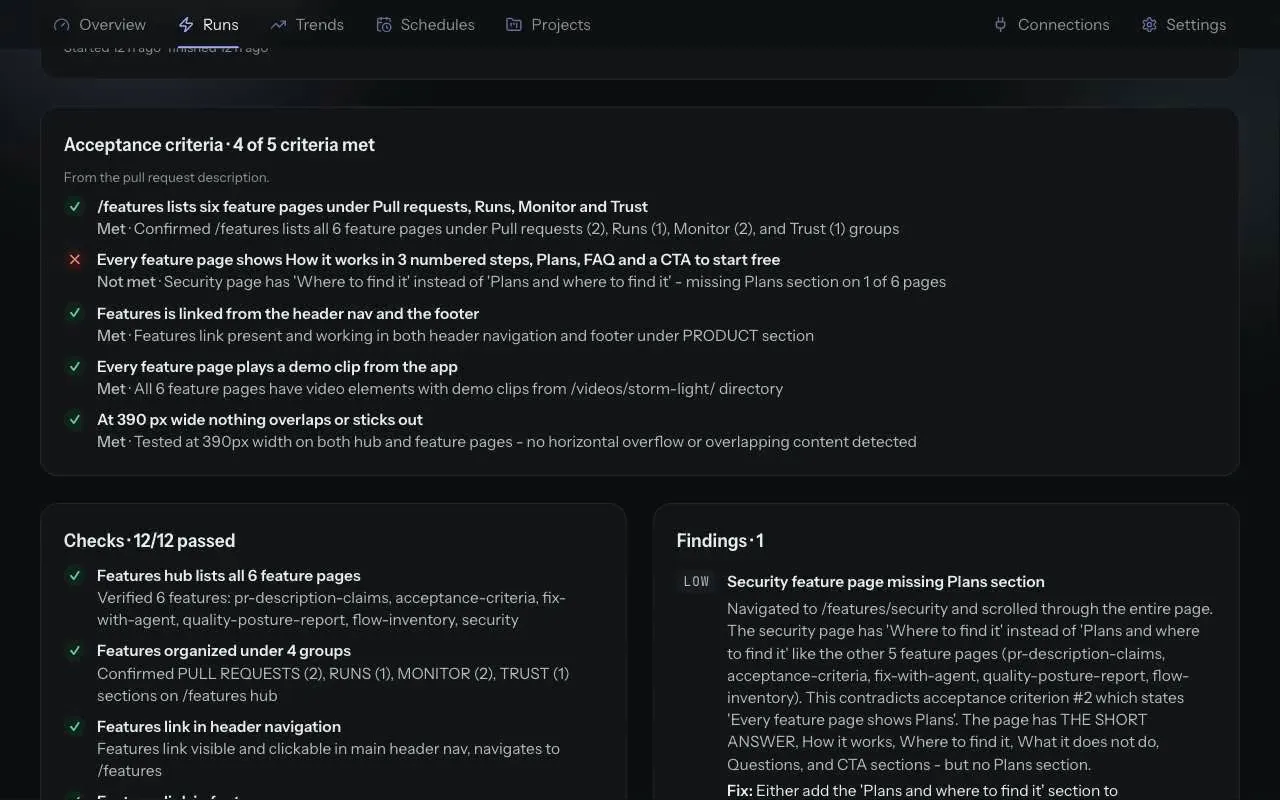
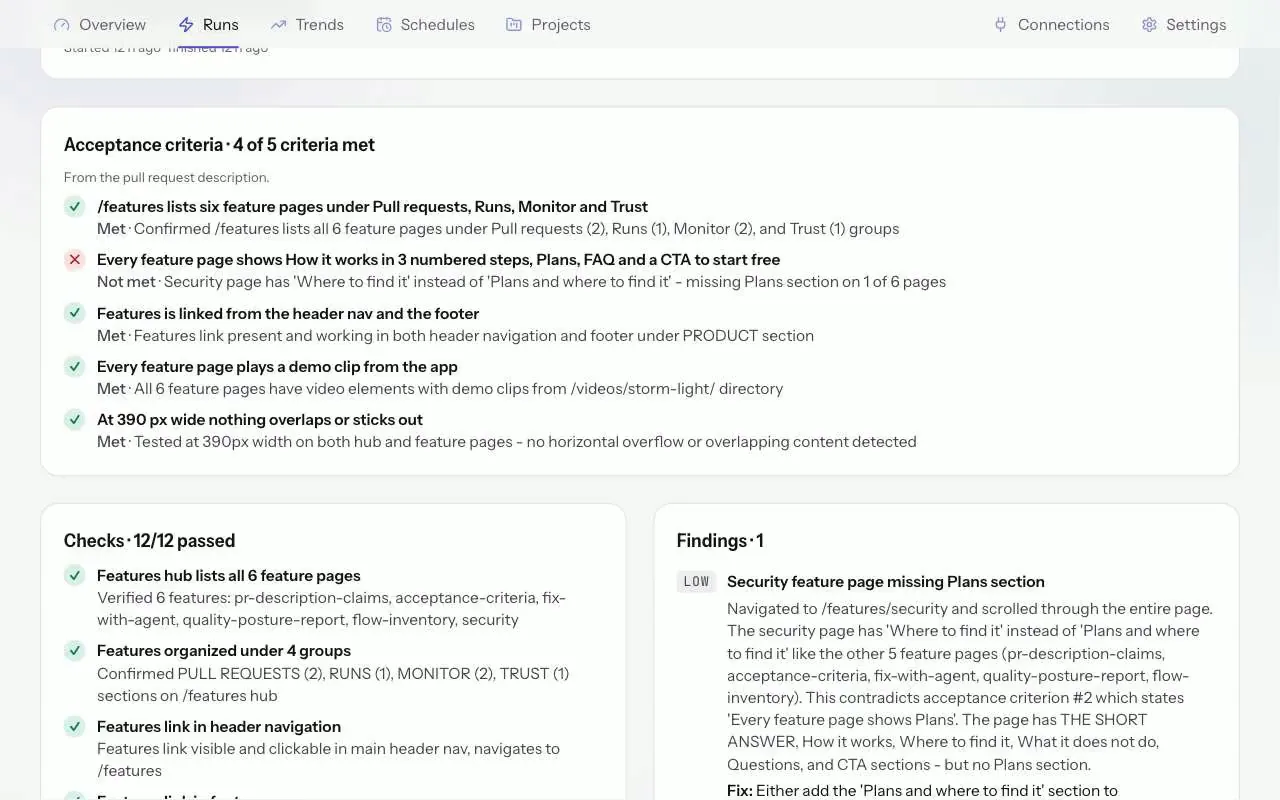
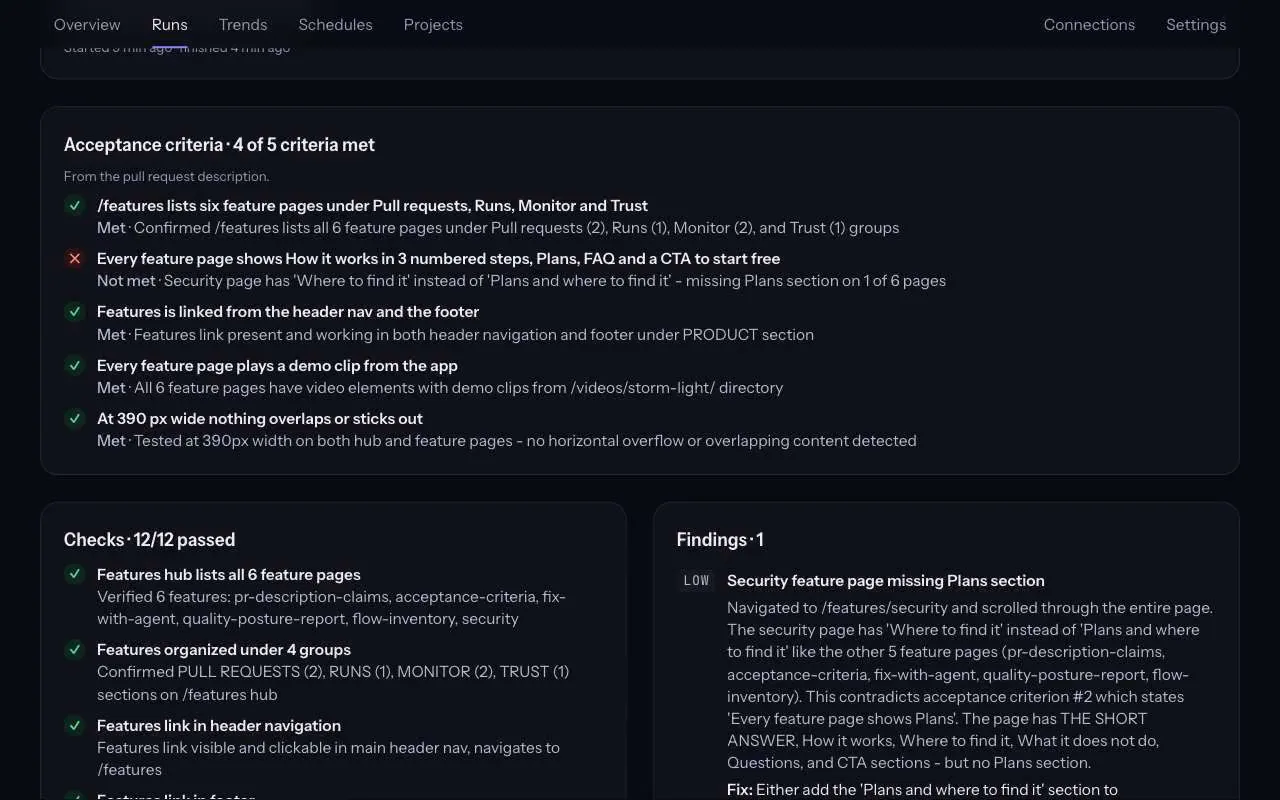
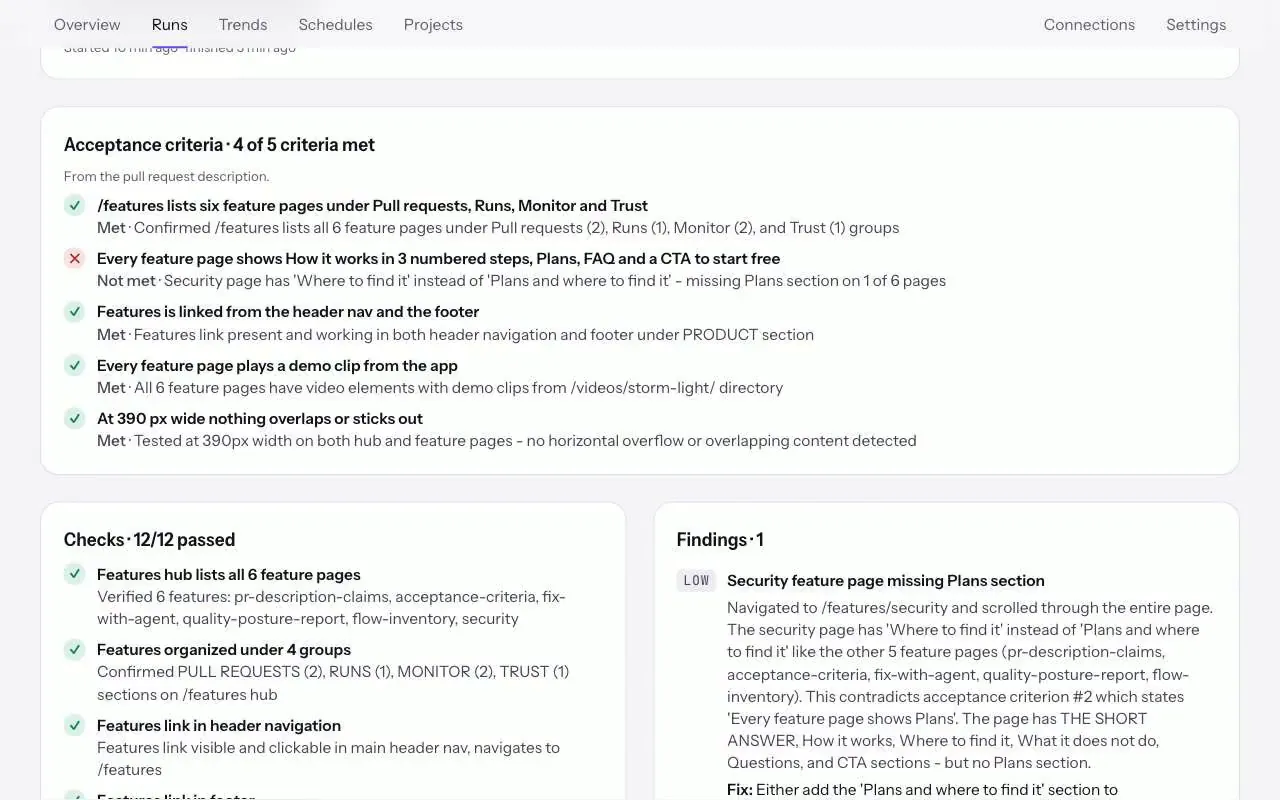
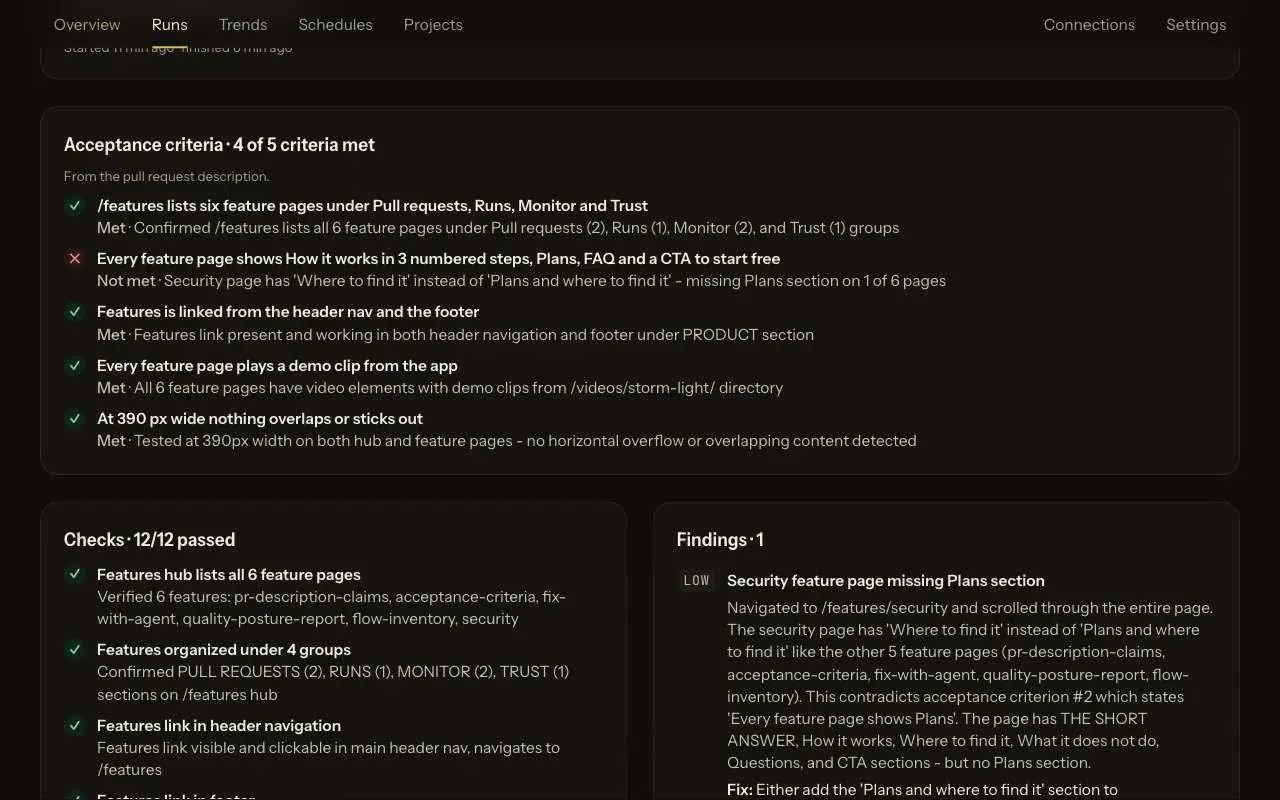
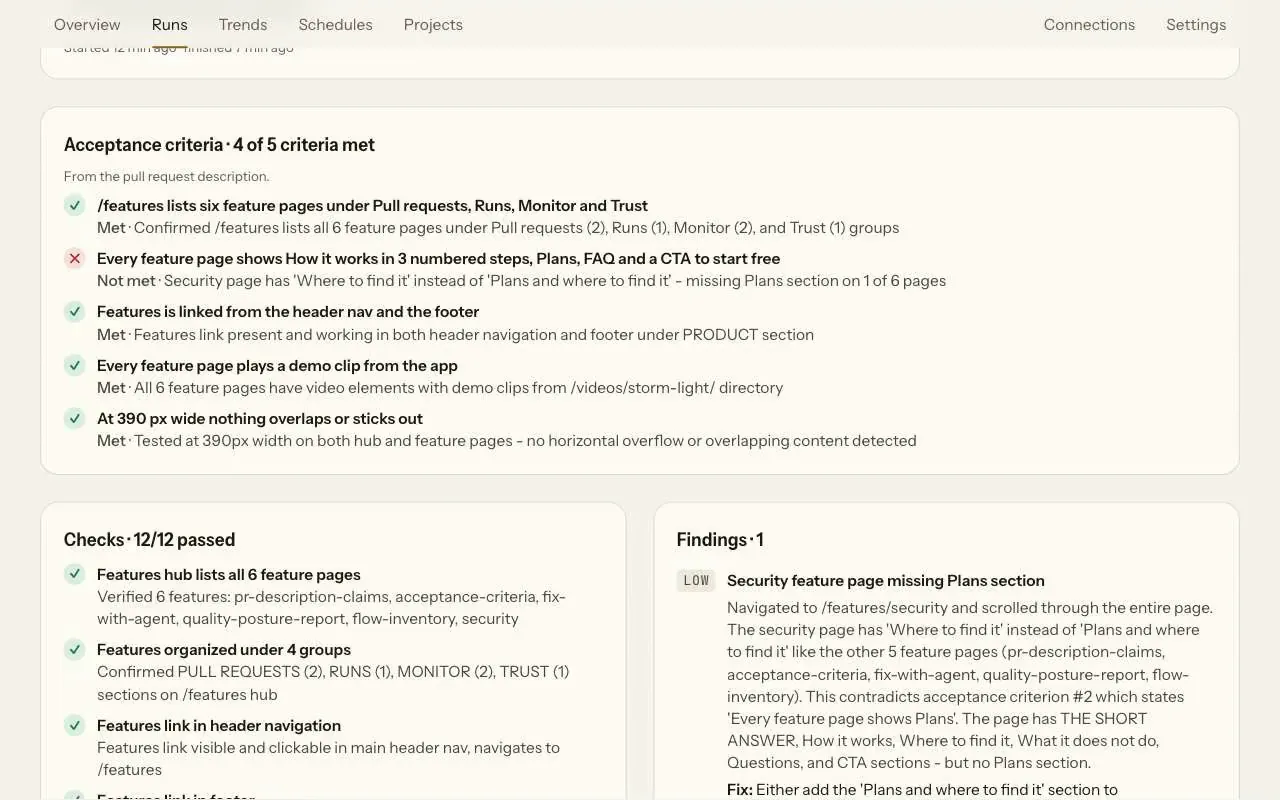
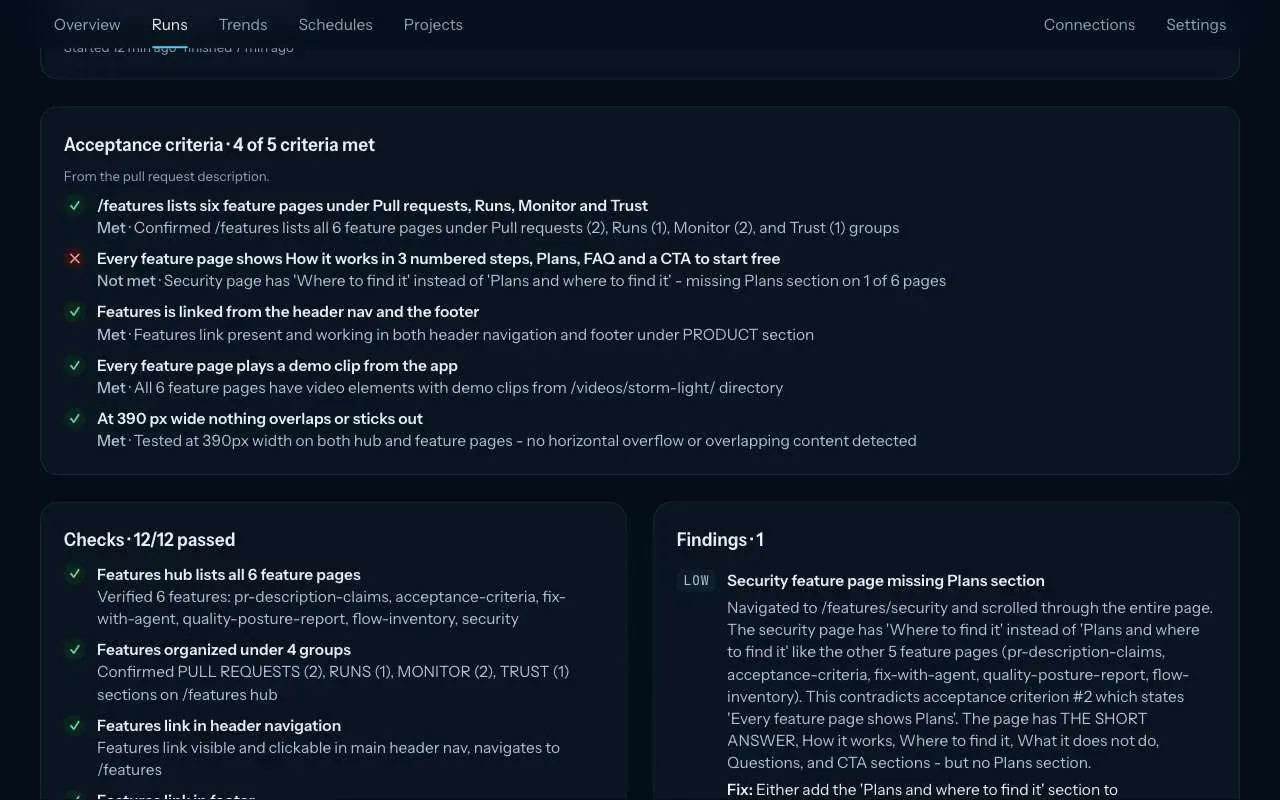
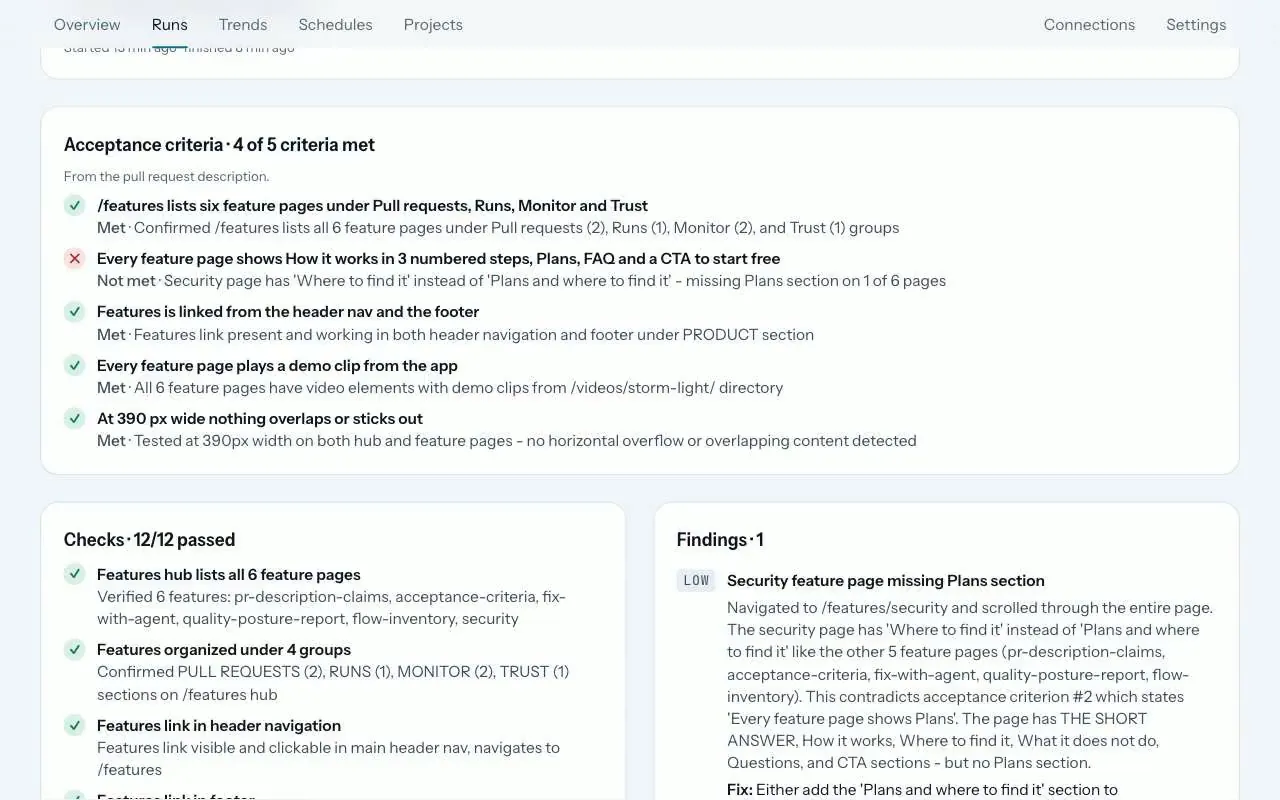
When a pull request lists acceptance criteria or a test plan, ZeusQA numbers each item in the test and the agent marks it met, not met or not checked, with a one-line note. Up to 10 criteria are read, 200 characters each. One criterion not met fails the run, so a required ZeusQA check blocks the merge.
How it works
Write the test plan
List what should be true after the merge under a heading such as Acceptance criteria, Test plan or How to test. Without one, a task list at the top or under Summary or Changes counts.
The agent answers by number
Each criterion is numbered in the test. The agent marks it met, not met or not checked with a one-line note, and one it did not get to stays not checked.
The check follows
A run that otherwise passed is marked failed when any criterion is not met. The run page shows a count such as 2 of 3 criteria met, and the pull request comment carries the same table.
What counts as a criterion
- List items under a heading such as Acceptance criteria, Test plan or How to test.
- Without such a heading, a task list (
- [ ]) at the top or under Summary or Changes. - Never a template's own checklist, under a heading such as Checklist or Before merging.
- Up to 10 criteria, 200 characters each.
Blocking the merge
A run with a criterion not met fails the ZeusQA check. Blocking is set per repository and is on by default; make ZeusQA a required check in your branch protection and that failure blocks the merge.
Plans and where to find it
On every plan. Find it on the run page and in the pull request comment.
- Free
- 3 runs in total
- Pro, $39 a month
- 300 runs a month
- Team, $149 a month
- 1,500 runs a month
Runs from the app, from pull requests and, on Pro and Team, from schedules all count towards the plan. Compare plans.
What it does not do
- Only the first 10 criteria are read, and each is cut at 200 characters.
- It checks what a real browser can see on the preview. It has no inbox and no access to your logs or database.
- Pull requests from forks and bots add no criteria.
- Not checked never counts as met, and it does not fail the run on its own.
Release notes and posts
Acceptance criteria, one by one
When a pull request lists acceptance criteria or a test plan, ZeusQA now marks each one met, not met or not checked, on the run page and in the pull request comment.
Changelog · 30 October 2026
The pull request gets a tester
What ZeusQA shipped on 30 October 2026 for teams without a QA engineer, feature by feature, with what each one does not do yet.
Blog · 30 October 2026
Questions
Does a criterion that was not checked fail the run?
No. Only a criterion marked not met turns a passing run into a failure. A criterion the agent did not get to is shown as not checked, never as met.
Where do I see the result?
On the run page, with a count such as 2 of 3 criteria met; in the pull request comment, as a table under the verdict; and as the count in the check summary.
Do I need a special format?
No. A heading such as Acceptance criteria or Test plan with a list under it is enough. A task list at the top of the description works too.
Try it on your own site
Paste a URL, describe the flow in plain English, and watch a real browser do it. Three runs free, no card.