Feature · Runs
Security checks in every run, with no extra traffic
Headers, cookies, mixed content, redirects, source maps and leaked secrets, read from traffic the test already caused.
The short answer
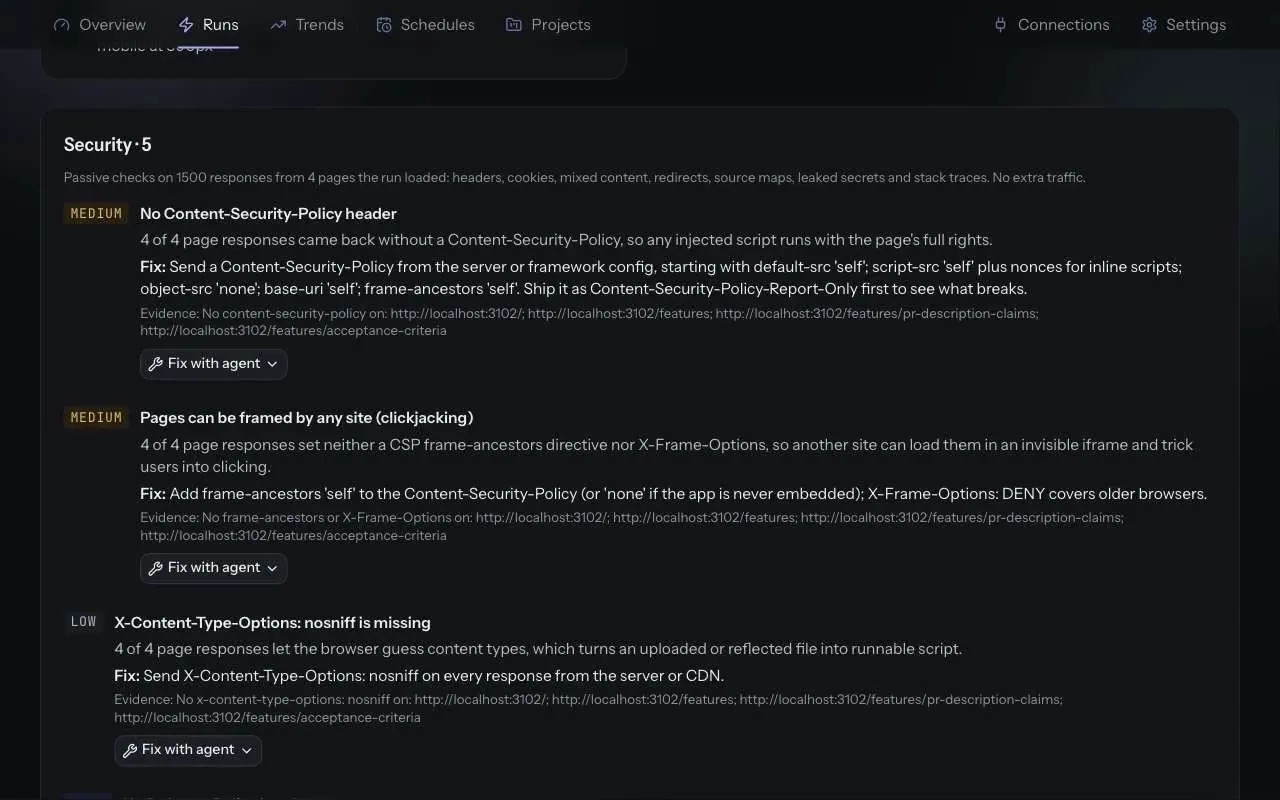
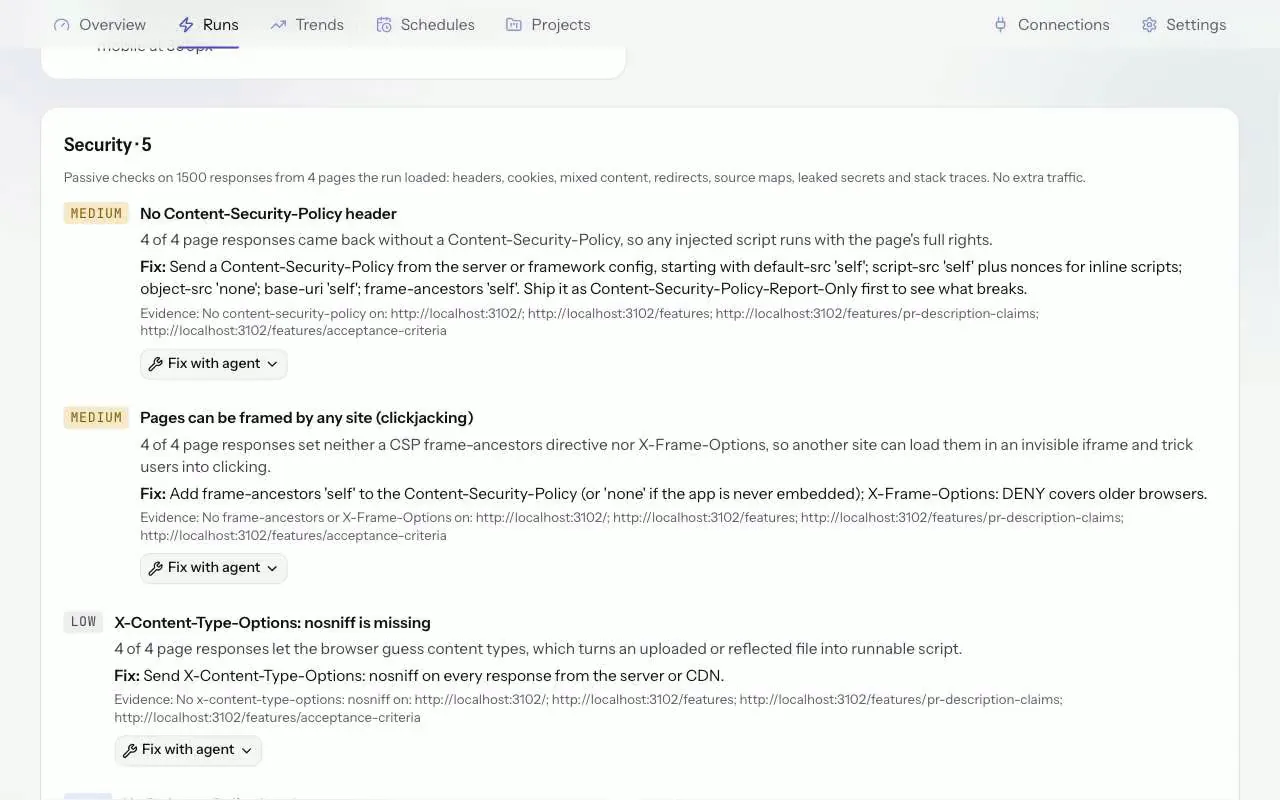
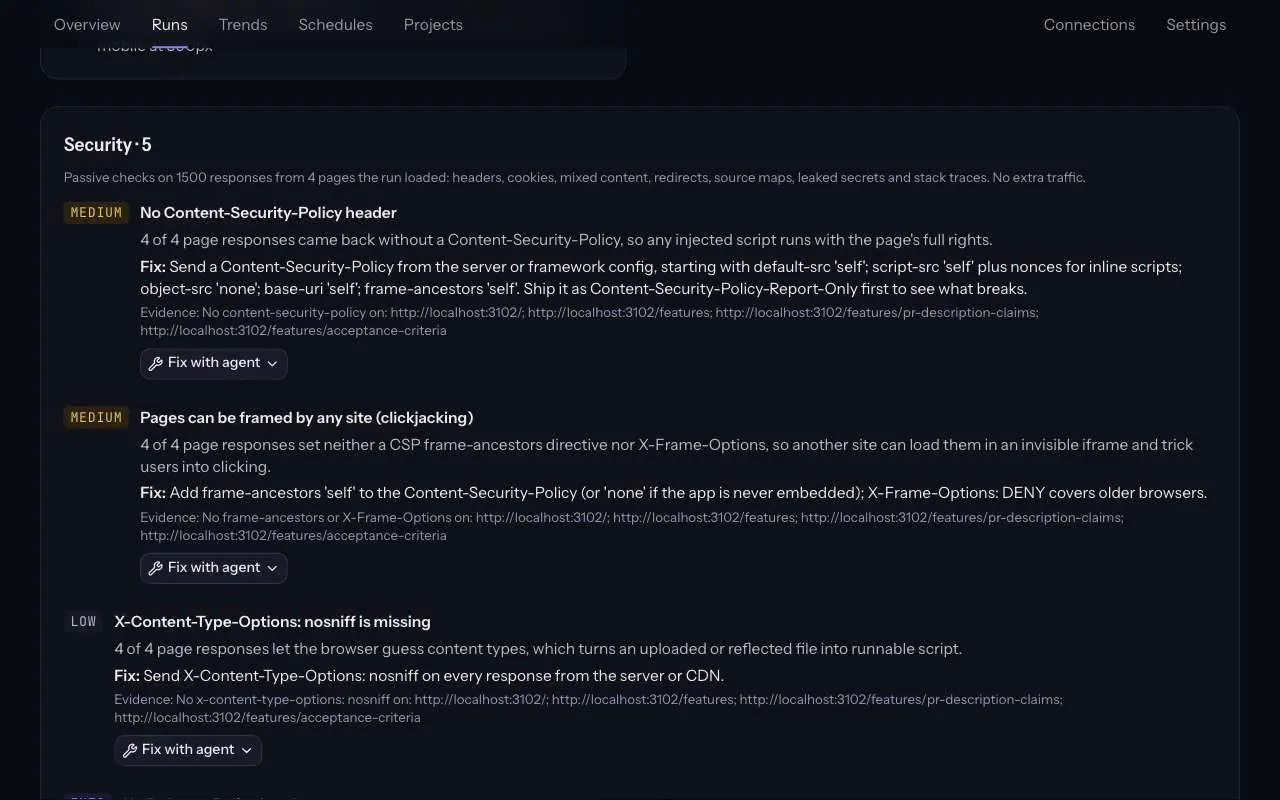
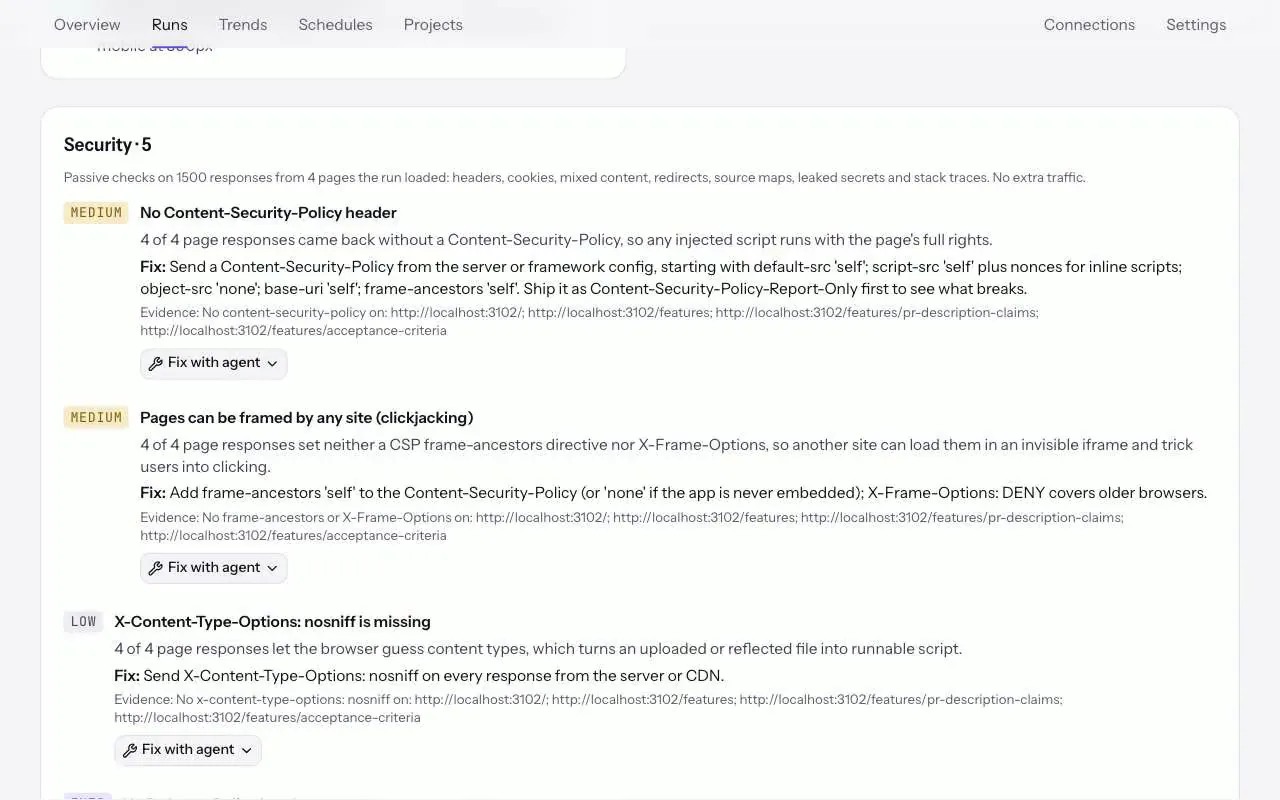
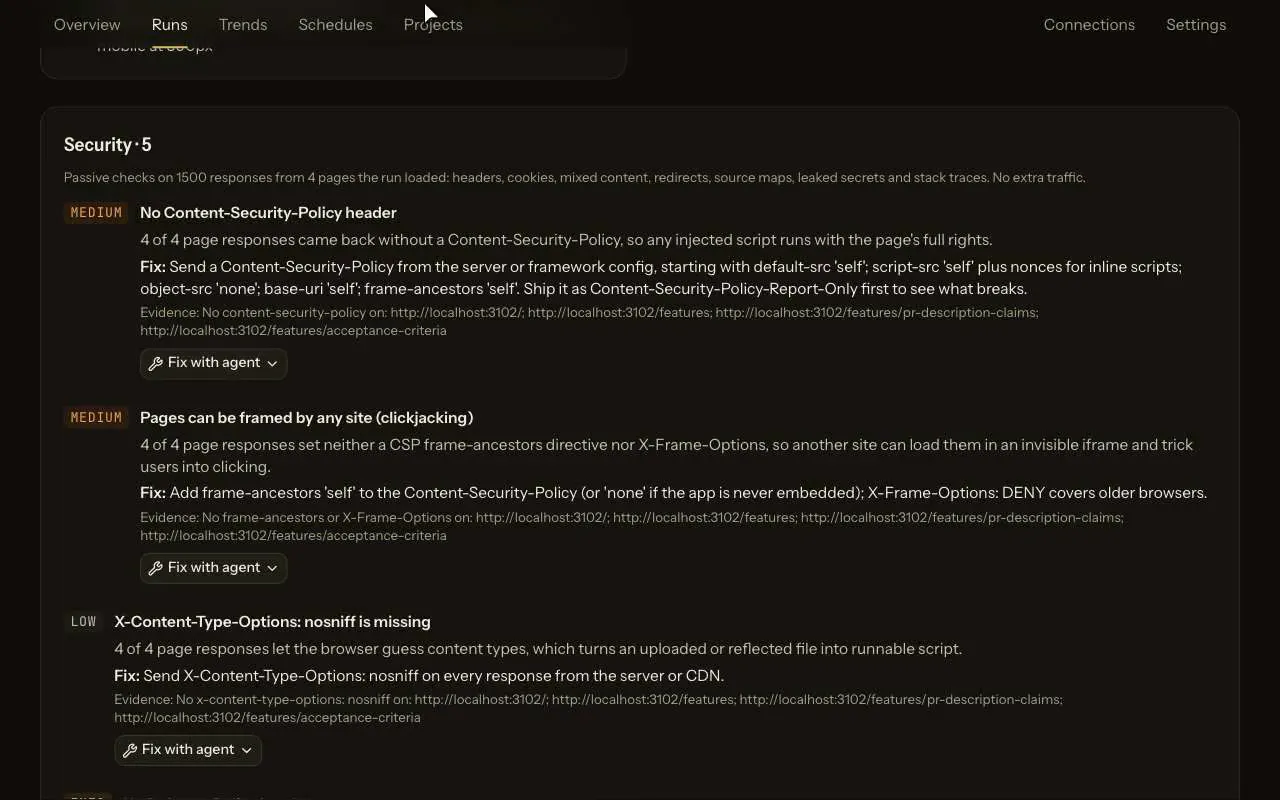
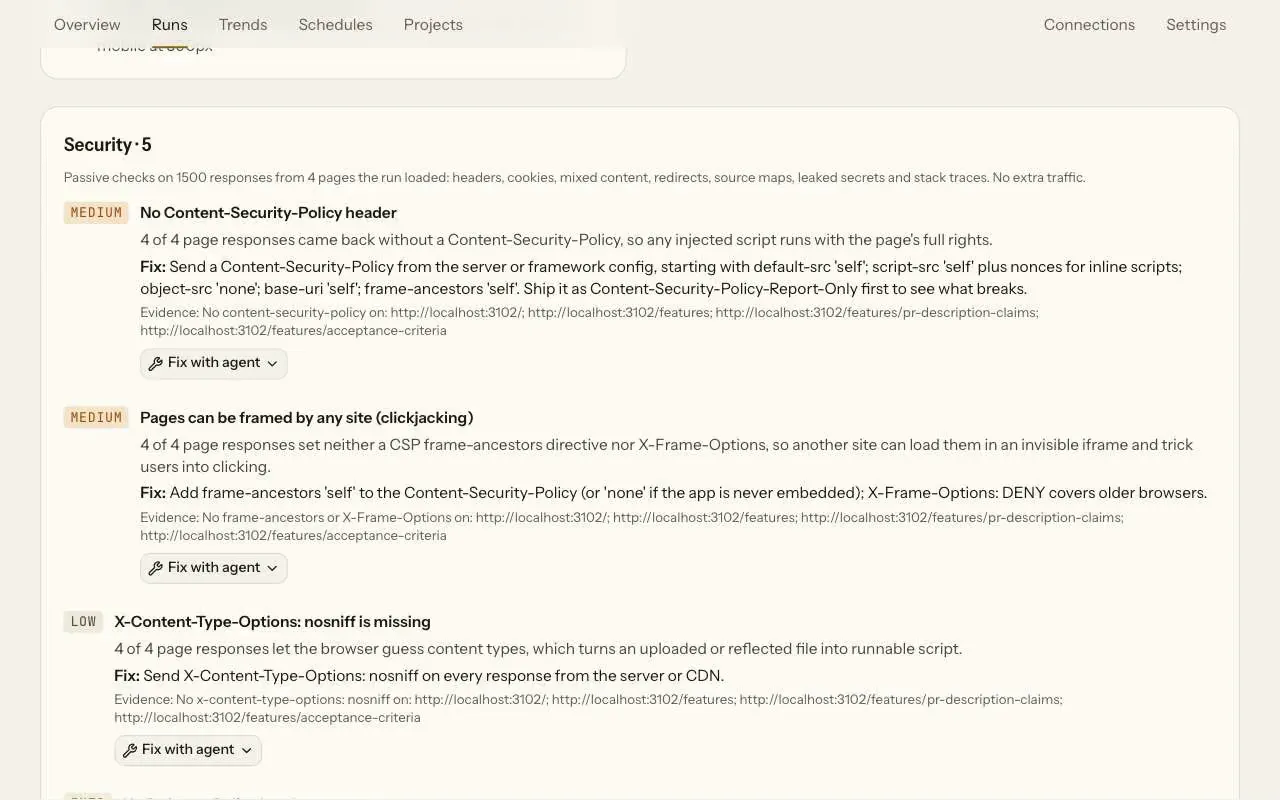
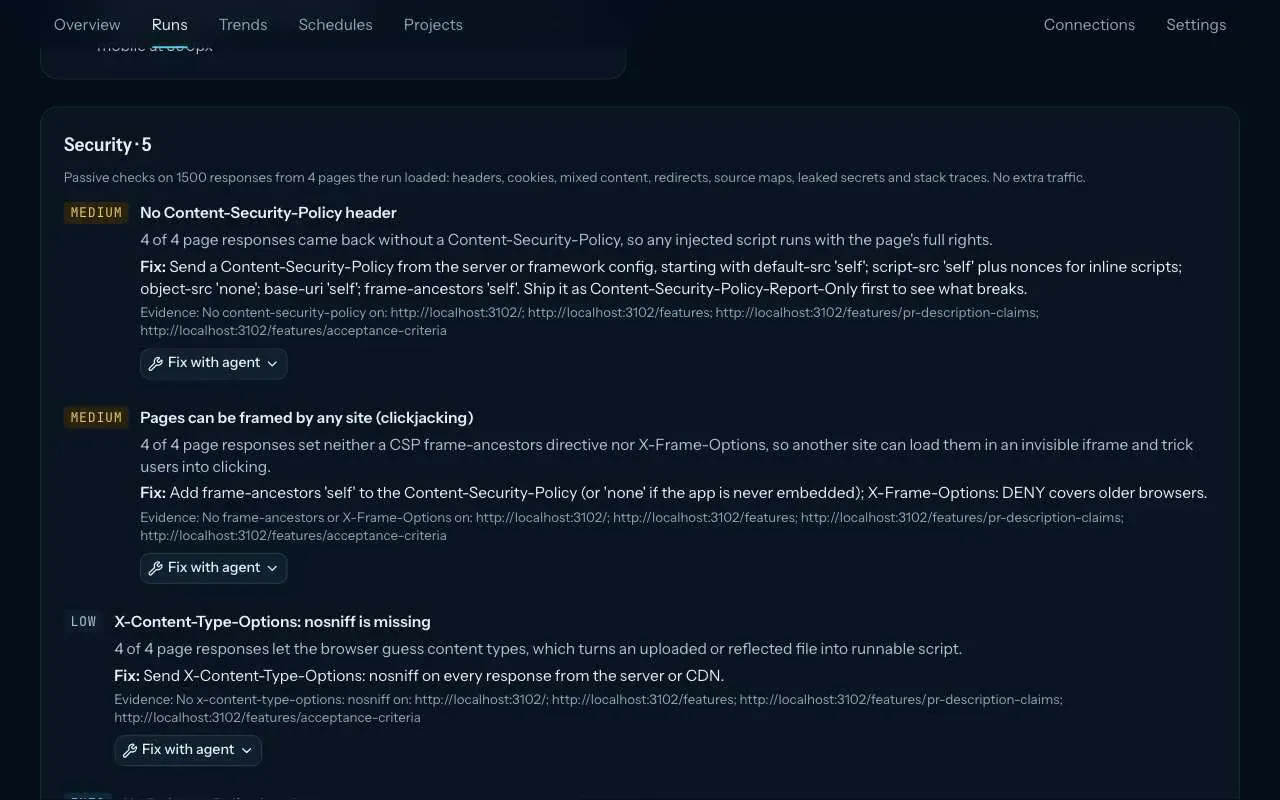
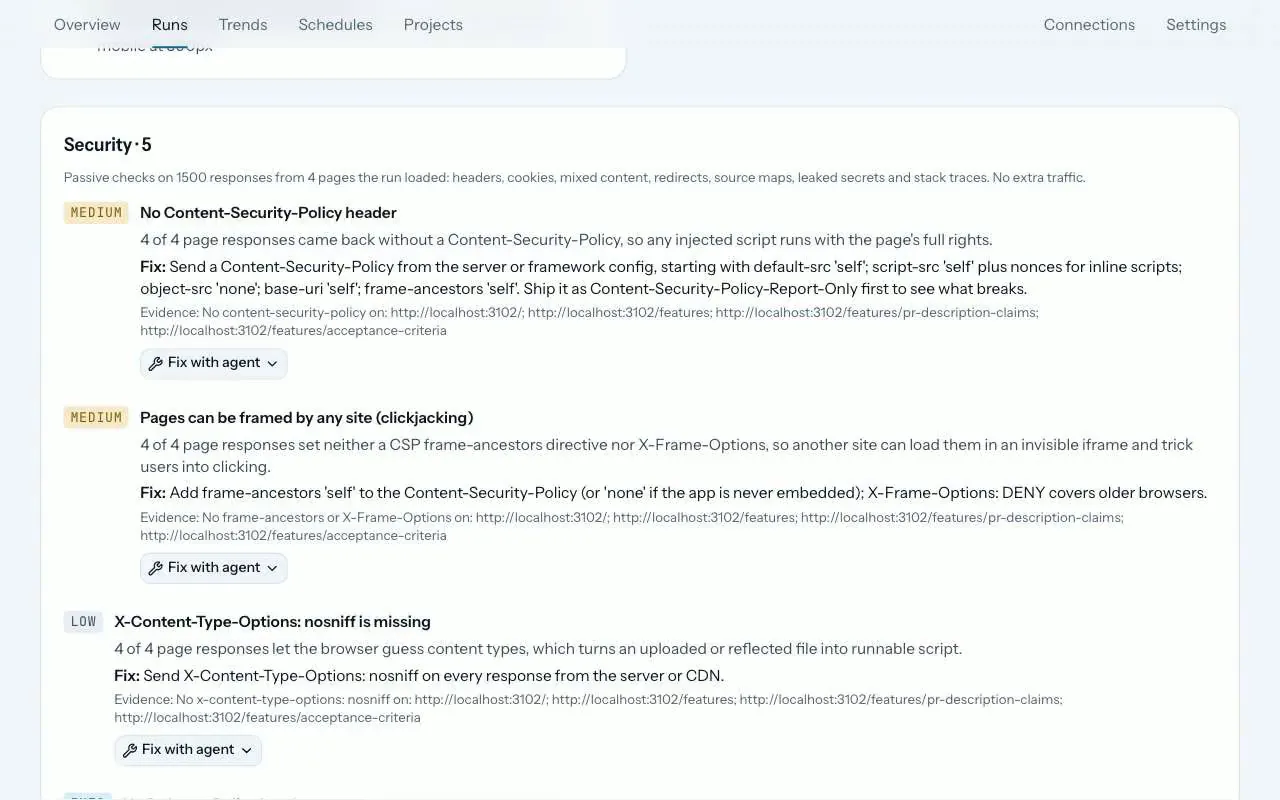
Every ZeusQA run reads the responses its browser already loaded for security weaknesses: missing or weak security headers, insecure cookies, mixed content, open redirects, source maps, leaked secrets and stack traces. No extra request is sent. Each finding has a severity, where it was seen and the fix, in a Security block on the run page and a Security section in the pull request comment.
How it works
Run any test
From the app, a pull request or, on Pro and Team, a schedule. There is nothing to turn on: every run reads the pages, scripts and API calls it loads.
The responses are read
Headers, cookies, redirects and your own site's response bodies are checked as they arrive. Only your own site is judged; on shared hosts such as vercel.app or pages.dev that means your own subdomain.
Read the Security block
Each finding has a severity, the URL and the header or line it was seen in, and the fix. The block says how many responses and pages were checked.
What it checks
- Security headers: a missing Content-Security-Policy or one that still lets inline or any-origin scripts run, pages any site can frame, no HSTS on HTTPS, no
X-Content-Type-Options: nosniff, and a Referrer-Policy that leaks full URLs. - Cookies: session cookies without
HttpOnly, cookies set over HTTPS withoutSecure,SameSite=NonewithoutSecure, and cookies withoutSameSite. Only names and attributes are kept, never values. - Mixed content: your own HTTPS pages loading scripts, styles, data or images over plain HTTP.
- Open redirects: a redirect to another site named in the URL's own query string.
- Leaked secrets and stack traces: private keys and live Stripe, GitHub, AWS, Slack, OpenAI and Anthropic keys, shown redacted, and Python, Node, Java, PHP, Ruby, ASP.NET and Django debug output.
- Source maps: maps that were served, and production scripts that point to them.
Counted apart from QA findings
The verdict stays the QA verdict: security findings never turn a pass into a fail. They are counted apart wherever a count appears: a security tag in the runs list, a security count under Findings on Overview and Trends, a Security column in the Trends CSV, and a Security section in run emails and digests. On a project's Flows page they never count against a flow.
Those counts also include security issues the agent files itself, such as another user's data on screen.
Plans and where to find it
On every plan. Find it in the Security block of every run page and in the pull request comment.
- Free
- 3 runs in total
- Pro, $39 a month
- 300 runs a month
- Team, $149 a month
- 1,500 runs a month
Runs from the app, from pull requests and, on Pro and Team, from schedules all count towards the plan. Compare plans.
What it does not do
- It reads only the traffic your test caused. A page the run never loaded is not checked.
- It sends no attack payloads. It is not a penetration test or a vulnerability scanner.
- Up to 1,500 responses are checked in a run, and a response body over 2 MB is not read in full for secrets.
- Security findings do not change the verdict, so a run can pass with them.
Release notes and posts
Questions
Does it send attack traffic?
No. It reads only the responses your test already caused, stays inside the same URL safety rules as the browser and sends no attack payloads.
Can a security finding fail my run?
No. The verdict stays the QA verdict. Security findings are listed and counted apart, so a run can pass with them.
Are secrets or cookies stored?
Leaked keys are shown redacted, and cookie values are never stored, only their names and attributes.
Try it on your own site
Paste a URL, describe the flow in plain English, and watch a real browser do it. Three runs free, no card.