Feature · Pull requests
A published vulnerability in your dependencies, with the fix as a pull request
Daily checks against the public advisory databases, a briefing per advisory, the fix as a pull request, and a message to Slack or Discord.
The short answer
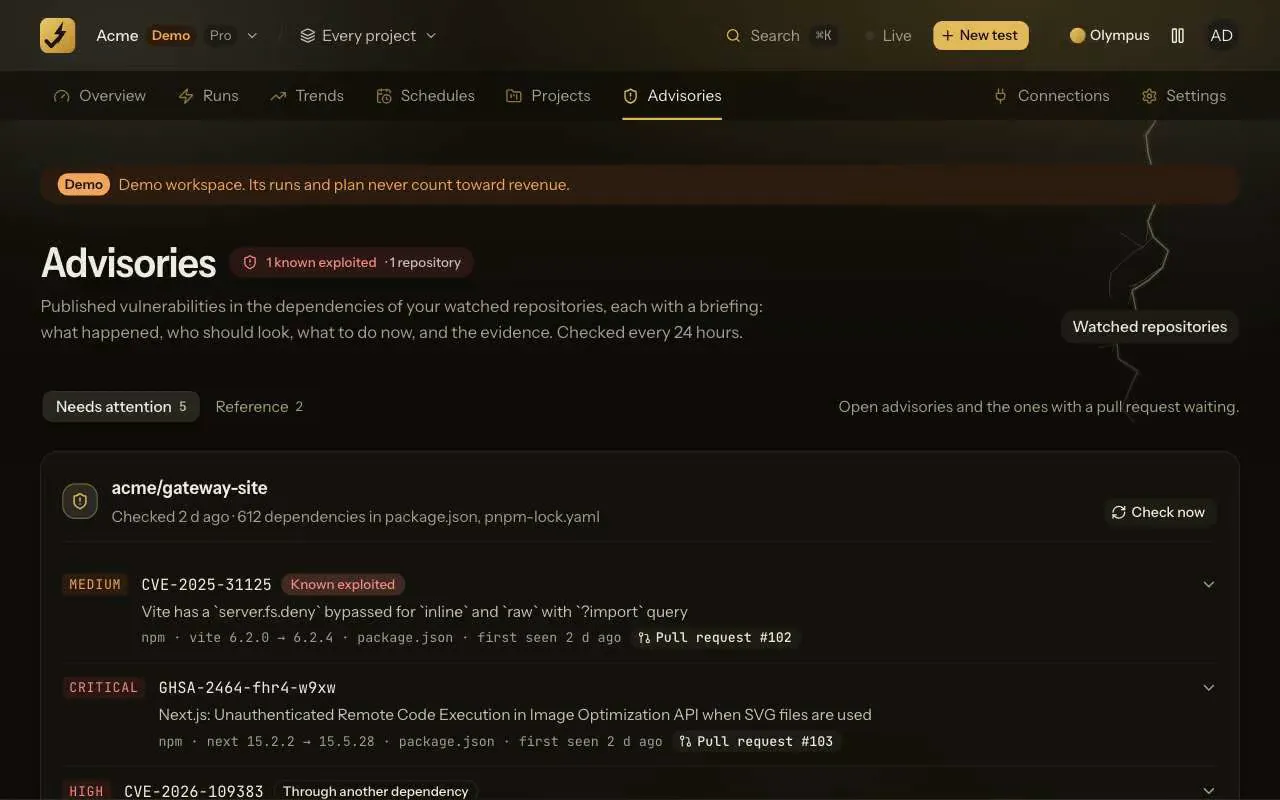
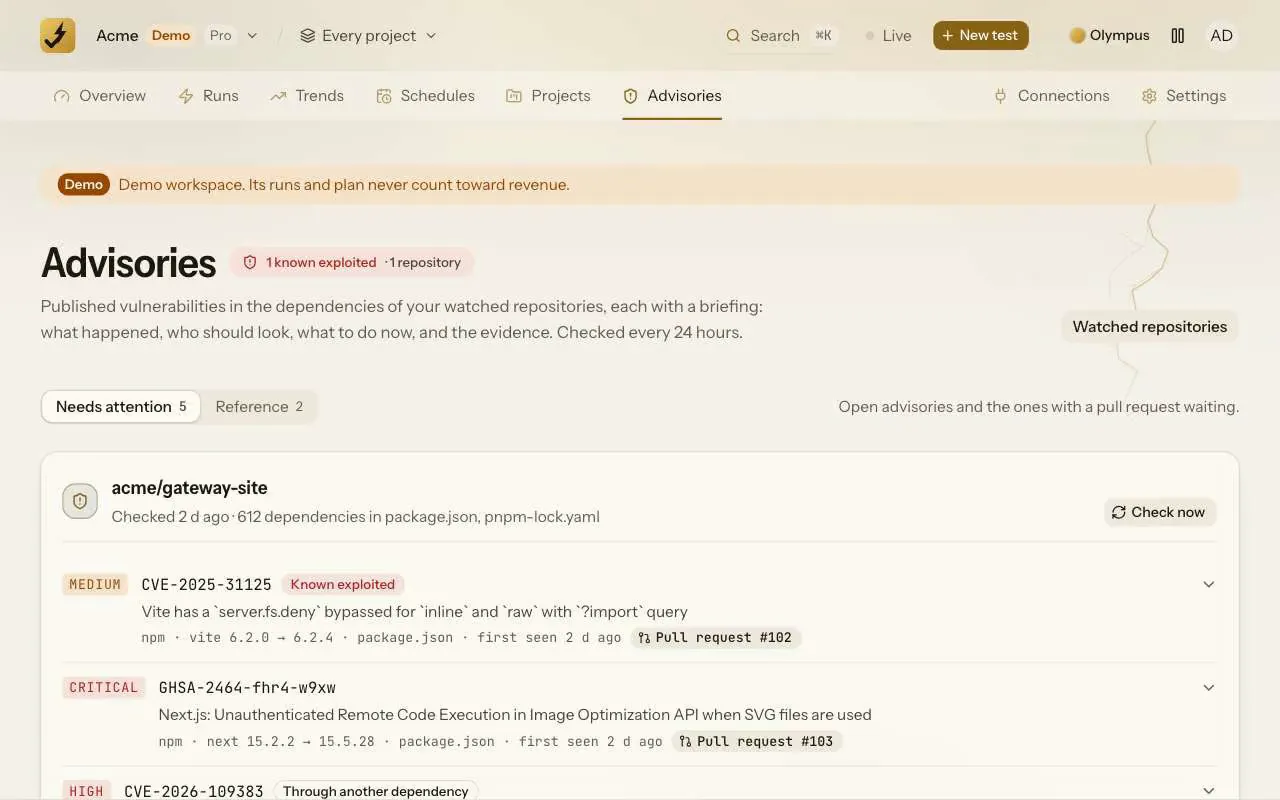
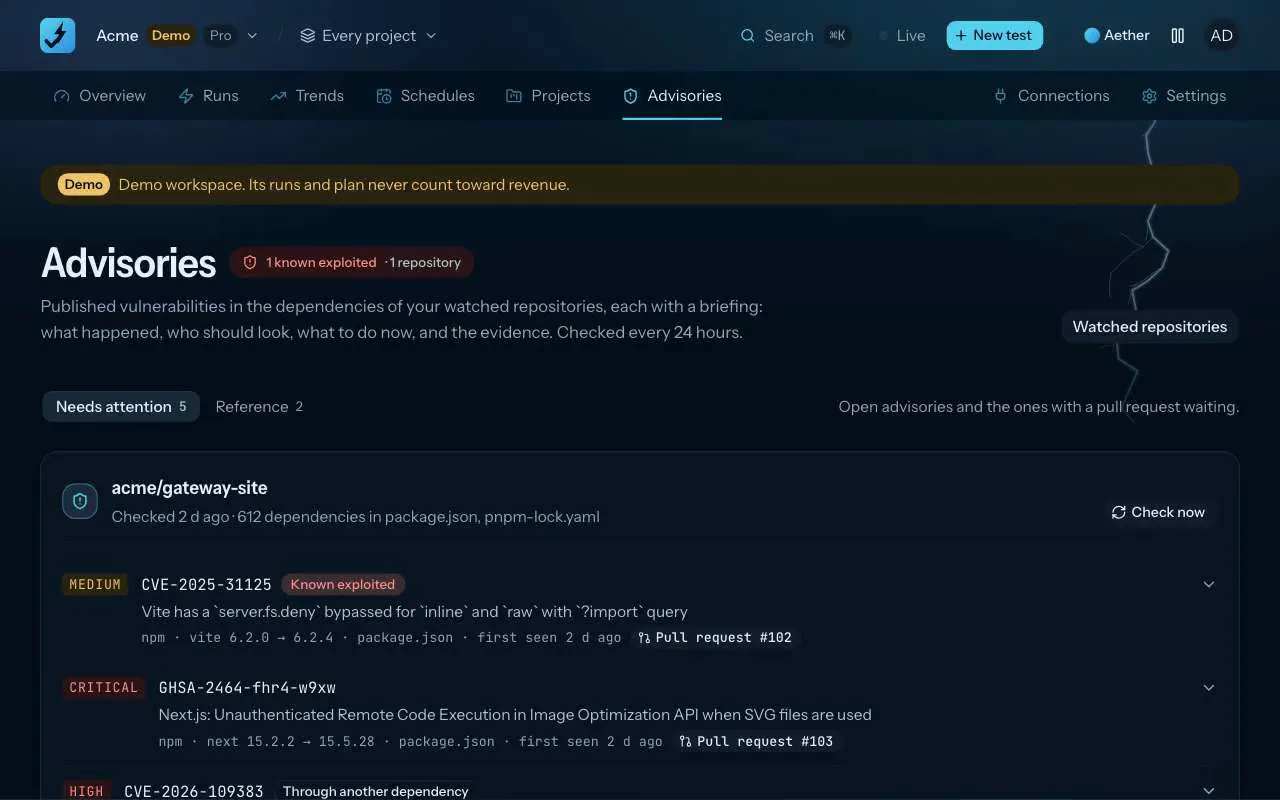
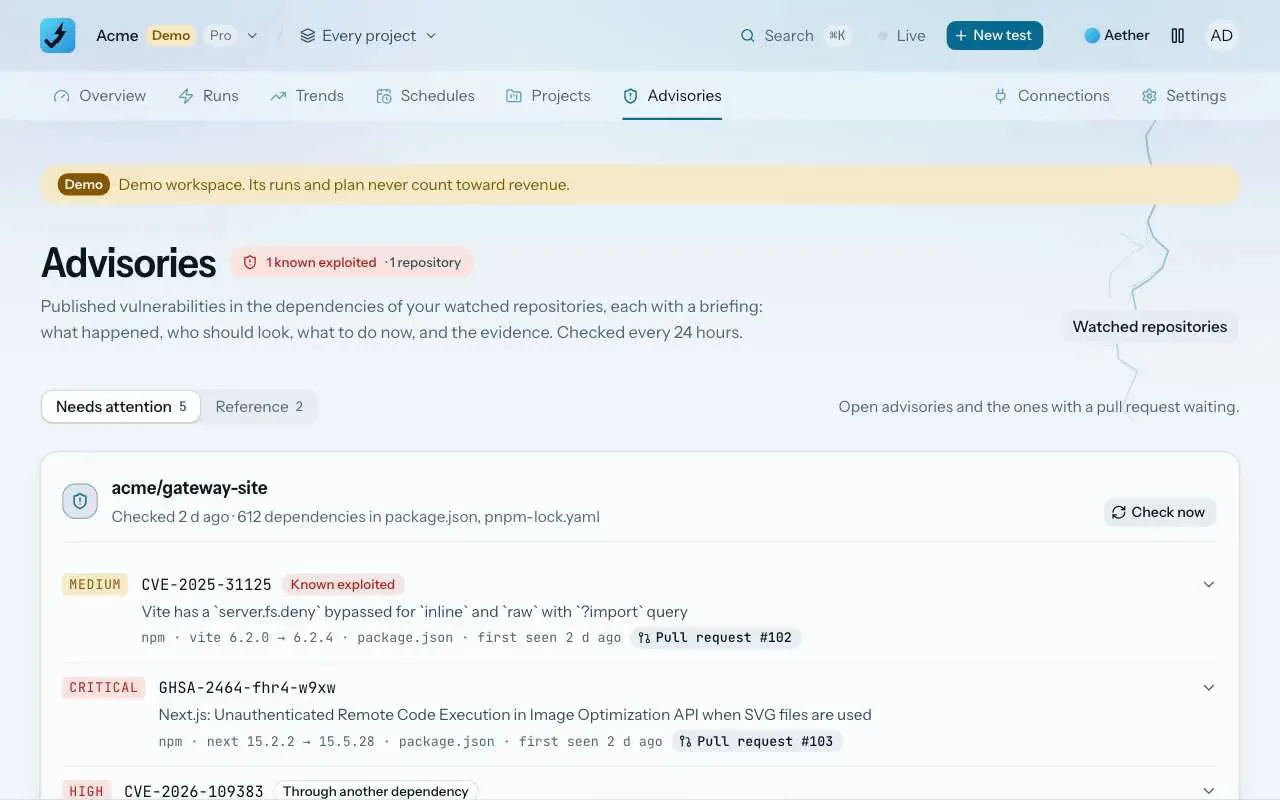
On Pro and Team, ZeusQA reads the root manifests of a watched repository once a day and checks every package version against OSV.dev, which carries GitHub's and the ecosystem advisories, and CISA's Known Exploited Vulnerabilities catalog. Each advisory gets a briefing: what happened, who should look, what to do now and the evidence. A direct dependency with a fixed version gets a pull request, and new advisories go to the workspace's Slack and Discord webhooks.
How it works
Turn on the watch
In Connections, GitHub, open a repository's settings and switch on Vulnerability watch. The first check runs within minutes, then once a day.
The manifests are checked
package.json, package-lock.json, pnpm-lock.yaml, yarn.lock, requirements.txt, go.mod, Cargo.lock, composer.lock, Gemfile.lock are read from the root of the default branch. Every package version they name is sent to OSV.dev, and each advisory that applies is matched against CISA's catalog of vulnerabilities attackers use.
Read the briefing, merge the fix
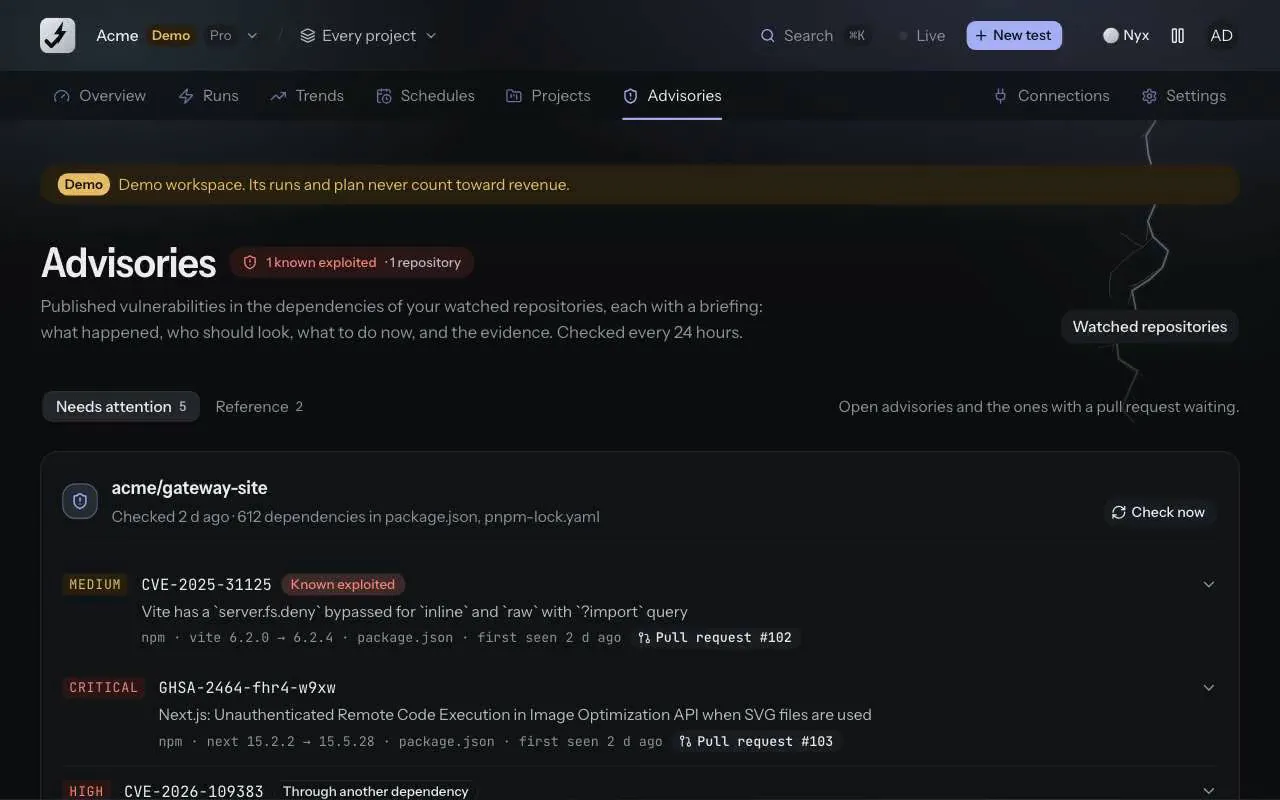
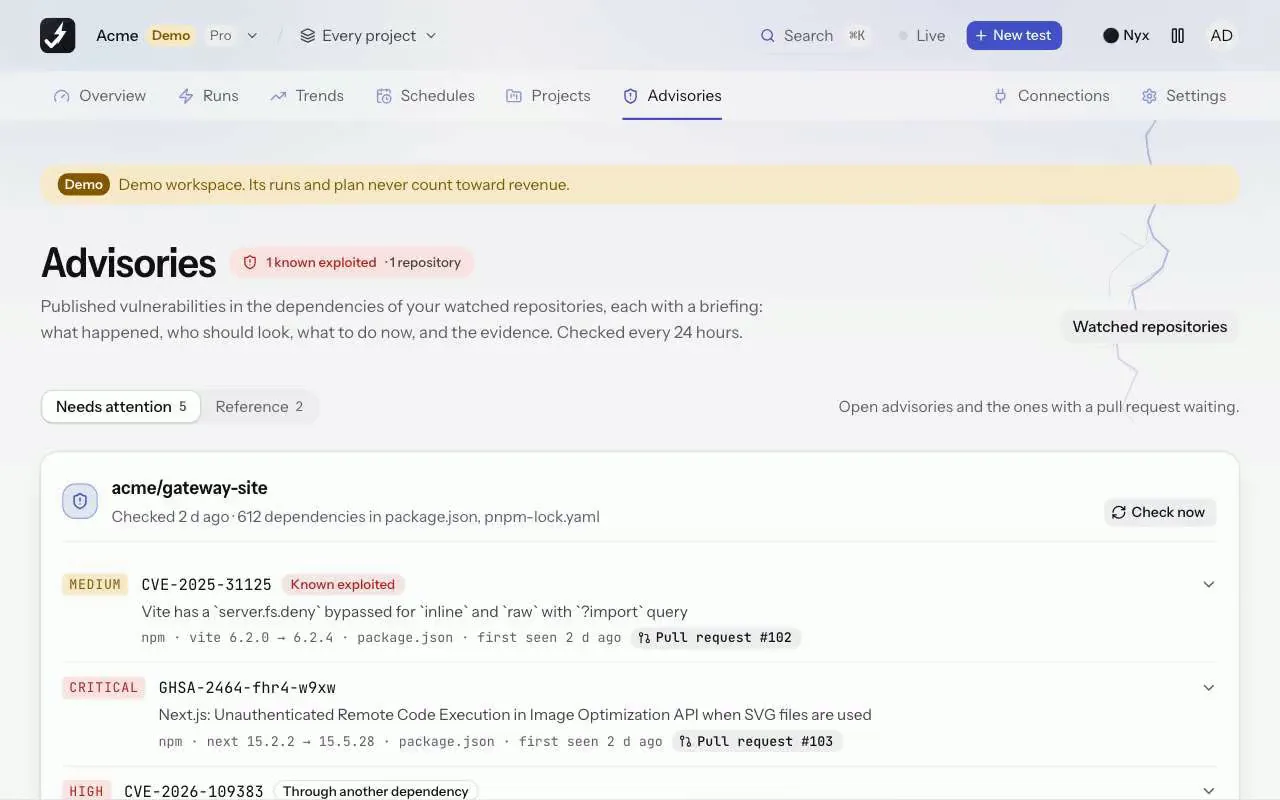
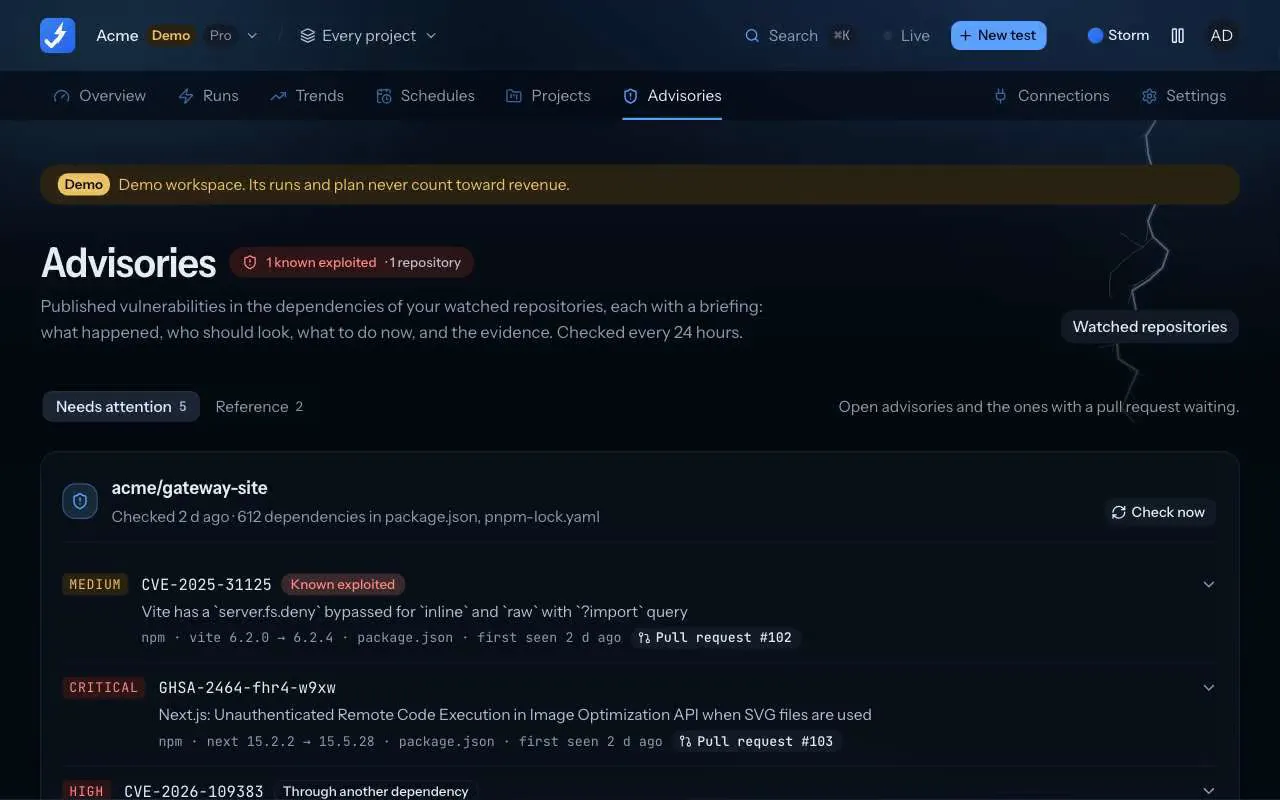
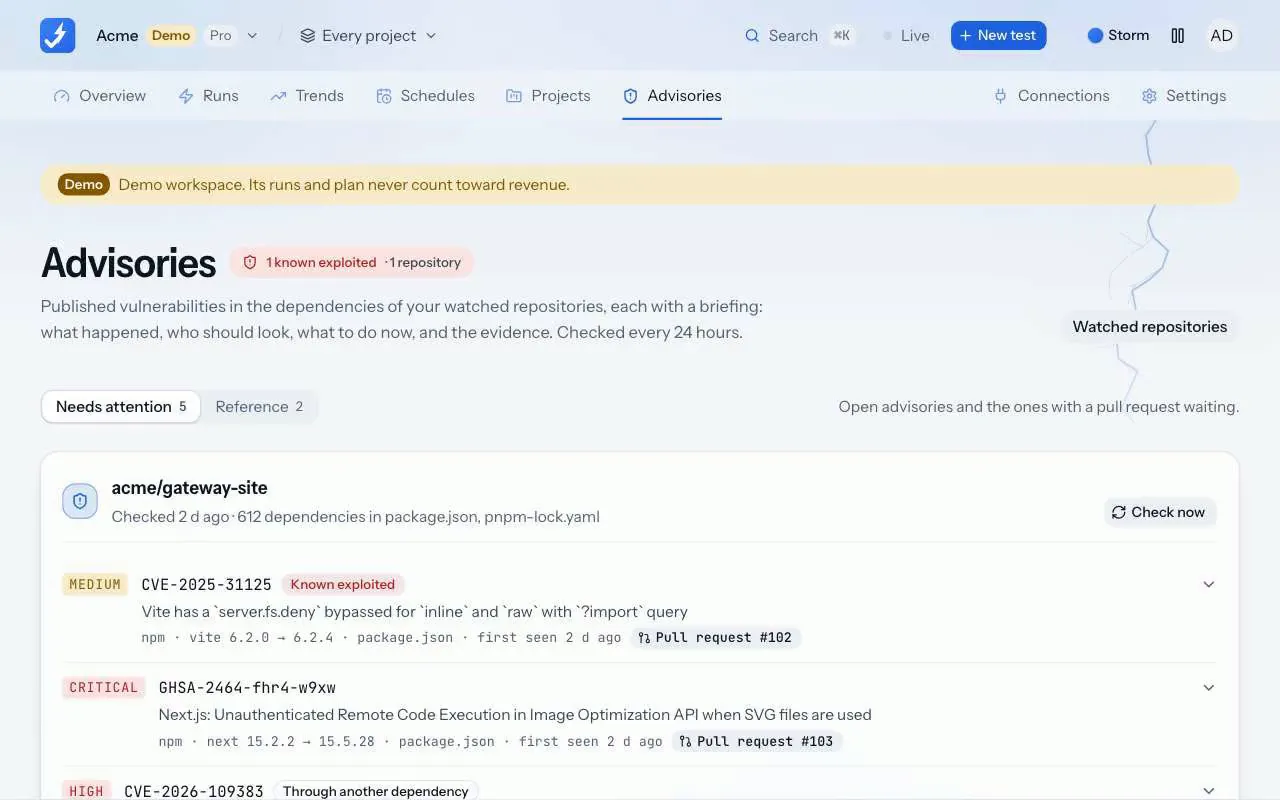
Each advisory is a card on Advisories: what happened, who should look, what to do now, the evidence and a chronology. A direct dependency with a fixed version gets a pull request that bumps it; new advisories go to your Slack or Discord.
What the watch reads
- npm: package.json with package-lock.json, pnpm-lock.yaml or yarn.lock, every version in the lockfile, direct ones marked.
- PyPI: requirements.txt pins with ==.
- Go: go.mod, the toolchain version as the standard library included.
- Rust, PHP, Ruby: Cargo.lock, composer.lock and Gemfile.lock.
Nothing else in the repository is read, and nothing in it runs. The check is a read of the manifests and a lookup, not a scan of your code.
The briefing
Each advisory reads like a news wire card, not a scanner row: what happened in plain words, who should look (the team that owns the manifest, or the one whose dependency pulls the package in), what to do now, and the evidence: the advisory, the CVE record and the fix commit. A vulnerability in CISA's Known Exploited Vulnerabilities catalog is marked as known exploited and sorted first.
Advisories sit on two shelves. Needs attention holds the open ones and the ones with a pull request waiting. Reference keeps the ones a later check found gone and the ones a member dismissed, with the dates, because an old advisory still matters when the fix never shipped.
The pull request
A direct dependency with a fixed version gets a pull request on a zeusqa/advisory/ branch that bumps it to the lowest version the advisories list as fixed, keeping a caret or tilde. The pull request carries the same briefing. The lockfile is yours to refresh: the pull request says which install command to run.
Up to 3 pull requests a day per repository and 10 open at once. A package that arrives through another dependency, or a lockfile-only ecosystem, gets the instruction instead of a pull request: an override, or the update command to run.
Slack and Discord
Add an incoming webhook in Settings, Notifications, with the lowest severity to post. New advisories for every watched repository, and the pull requests opened for them, arrive as one message per check, with a link to the briefings. The URL is stored on the server and shown only in part.
A README badge
Turn on Show a README badge in the repository's settings and copy the markdown. The badge says the dependencies are watched daily while the watch is on and its last check, within two days, succeeded; otherwise it says the watch is off. It never shows advisories, counts or severities, so it tells nobody where to look.
Plans and where to find it
On Pro and Team. Find it on Advisories in the app, in each repository's settings under Connections, GitHub, and in Settings, Notifications for the webhooks.
- Pro, $39 a month
- 300 runs a month
- Team, $149 a month
- 1,500 runs a month
Runs from the app, from pull requests and, on Pro and Team, from schedules all count towards the plan. Compare plans.
What it does not do
- Pro watches 10 repositories and Team 50, each checked once every 24 hours, with Check now once an hour.
- Only the manifests at the root of the default branch are read. A monorepo's nested packages are not.
- A pull request bumps the manifest, not the lockfile. Run the install command the pull request names before merging.
- Pull requests need the GitHub App's Contents permission set to Read and write; until then the briefing says so and no pull request is opened.
- It knows what OSV.dev and CISA publish. A vulnerability with no public advisory is not found.
Release notes and posts
Vulnerability watch
On Pro and Team, a connected repository can have its dependencies checked once a day against OSV.dev and CISA's Known Exploited Vulnerabilities catalog. Each advisory gets a briefing on the new Advisories page, a direct dependency with a fixed version gets a pull request that bumps it, and new advisories go to the Slack and Discord webhooks a workspace adds in Settings, Notifications.
Changelog · 3 November 2026
The supermarket shelves went empty. The vulnerability was already published.
Eighteen months of attacks on grocers, from Co-op's empty island shelves to the freezers running hot across Europe this week, and what a team that is not a supermarket can learn: the fix was usually out before the attack. ZeusQA's vulnerability watch reads the feed for you.
Blog · 3 November 2026
Questions
Does it run anything in my repository?
No. It reads the manifest files at the root of the default branch through the GitHub API and sends package names and versions to OSV.dev. No code is cloned, built or run.
Where do the advisories come from?
OSV.dev, which aggregates GitHub's advisory database, PyPI, Go, RustSec and the other ecosystem databases, plus NVD records. Known exploitation comes from CISA's Known Exploited Vulnerabilities catalog.
Why did it not open a pull request?
The package arrives through another dependency, no fixed version is published, the manifest is a lockfile ZeusQA does not edit, the daily or open limit is reached, or the GitHub App lacks Contents: Read and write. The briefing says which.
Does a merged pull request close the advisory?
Merging settles it, and the next daily check confirms the package really changed. If the old version is still in the manifests, the advisory reopens.
Try it on your own site
Paste a URL, describe the flow in plain English, and watch a real browser do it. Three runs free, no card.